
The most accurate retail predictions no longer come from your sales history, but from decoding external, real-time data signals.
- Weather patterns and Google Trends are free, powerful predictors of short-term demand shifts.
- True causation must be isolated from coincidence using controlled A/B testing to avoid costly stocking errors.
Recommendation: Shift your focus from analysing what was bought to decoding the external signals that explain why and predict what comes next.
As a retail buyer, your biggest challenge is a high-stakes gamble: ordering the right stock for next season. Traditionally, this process relies heavily on historical sales data, a look in the rearview mirror that assumes the future will repeat the past. Many will advise you to simply analyse last year’s top sellers, monitor broad social media chatter, and hope for the best. But in a fast-moving market, this approach is becoming increasingly unreliable, leading to overstocked warehouses or missed opportunities.
The problem with historical data is its latency; by the time you see a trend in your sales figures, the initial surge has often passed. What if you could see the wave forming before it hits the shore? The key to modern predictive retail analytics isn’t just about processing more internal data; it’s about shifting your focus to external, real-time signals that precede consumer behaviour. It’s about understanding that the journey to a purchase doesn’t start at your storefront, but with a weather forecast, a Google search, or a shift in cultural mood.
This guide moves beyond the platitudes of “using big data.” We will explore how to decode these powerful, often-free signals to make smarter, more predictive buying decisions. We will break down how to interpret subtle changes in the environment, identify rising product trends before they peak, and, most critically, distinguish between a meaningful signal and misleading noise. This is your playbook for moving from reactive to predictive stocking.
Contents: Predicting Future UK Retail Trends
- Why a 2°C Temperature Drop Changes Buying Habits Overnight?
- How to Use Google Trends Data to Spot Rising Products for Free?
- Tableau vs Power BI: Which Is Easier for Non-Technical Retailers?
- The Analysis Error That Confuses Causation With Coincidence
- How to Use Regional Data to Stock the Right Sizes in the Right Stores?
- Why Logic Rarely Drives the Purchase of Luxury Goods in the UK?
- Just-in-Time vs Safety Stock: Which Strategy Survives a Supply Chain Crisis?
- How Consumer Insights Reveal the “Why” Behind UK High Street Spending Drops?
Why a 2°C Temperature Drop Changes Buying Habits Overnight?
The most immediate and powerful external signal influencing retail is the weather. A sudden cold snap doesn’t just make people feel chilly; it triggers a predictable cascade of consumer needs. For a retail buyer, understanding this direct correlation is the first step in moving from historical forecasting to real-time demand sensing. The desire for a warmer coat, waterproof boots, or indoor entertainment isn’t a slow-burning trend; it’s an immediate, weather-activated impulse.
Ignoring this signal means missing a critical, short-term sales window. For instance, the demand for umbrellas, sun cream, or barbecue supplies is almost entirely dictated by the daily forecast. By integrating real-time weather data into your analytics, you can anticipate these spikes. This isn’t about looking at last year’s sales for the same week; it’s about mapping current weather conditions to specific product categories. This is the essence of signal decoding: translating a raw data point (e.g., a 2°C drop) into a specific, actionable retail insight (e.g., increase stock of knitwear in London stores).
The impact is statistically significant across the country. According to a summary report highlighted by the British Retail Consortium, weather is one of the biggest drivers of sales volatility outside of economic factors. By aligning promotions and inventory with local forecasts, you can capture demand precisely when it materialises, turning a reactive process into a proactive strategy. The key is to treat weather not as a random variable, but as your most reliable short-term predictive signal.
How to Use Google Trends Data to Spot Rising Products for Free?
While weather data predicts immediate needs, Google Trends allows you to see the future of discretionary spending taking shape. Every search query is an expression of interest or intent. By analysing aggregate search data, you can spot rising product categories, styles, and even problems that consumers are trying to solve—long before these trends manifest in sales reports. This is a powerful tool for reducing data latency and getting ahead of the curve.
For a retail buyer, the “Rising” and “Breakout” queries in Google Trends are a goldmine. A “Breakout” term, which indicates a growth spike of over 5000%, can signal the birth of a viral product. The key is to move beyond simply tracking product names. Instead, analyse problem-based queries (e.g., “how to fix frizzy hair in humidity” before a new serum launch) and related topics (e.g., a spike in searches for “Bridgerton fashion” after a new season drops). This provides context and reveals the ‘why’ behind the trend.
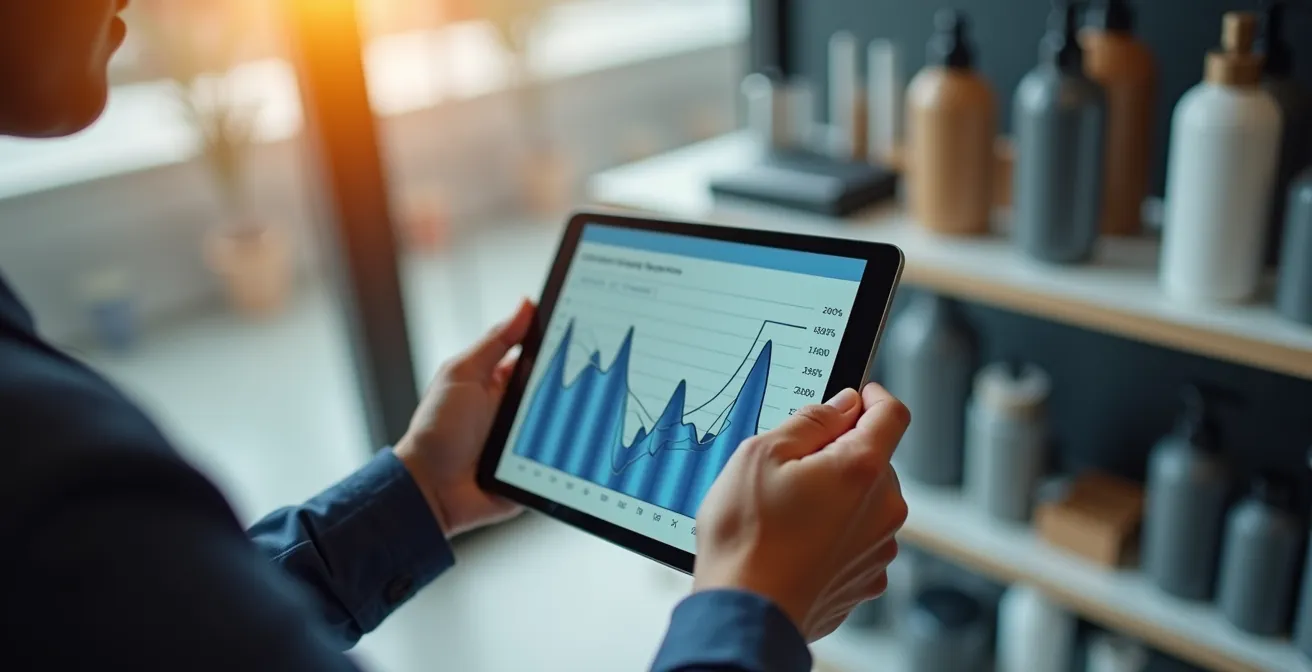
To turn this data into a reliable signal, use the compare feature to benchmark a new trend’s velocity against historical fads. Is this the next “fidget spinner” (a short, sharp spike) or the next “air fryer” (a sustained, growing staple)? By analysing the shape and momentum of the trend curve, you can make a more informed judgement about its lifecycle and the appropriate level of stock investment. It’s about spotting the signal early and qualifying its potential before committing your budget.
To systematically identify rising products using this free tool, you can follow a clear methodology:
- Track ‘Rising Queries’ and ‘Breakout’ terms to catch exponential growth spikes early.
- Compare the velocity of a new trend against historical fads versus staples to predict its lifecycle.
- Monitor problem-based queries (e.g., “sustainable winter coat”) instead of just product names to spot underlying needs.
- Use the “Compare” feature to benchmark multiple potential trends against each other simultaneously.
- Analyse “Related Topics” to identify the catalysts driving the trend, such as a new streaming series or a TikTok challenge.
Tableau vs Power BI: Which Is Easier for Non-Technical Retailers?
Once you start collecting external signals from weather APIs and Google Trends, you need a way to visualise and understand them. For most retail buyers, who are not data scientists, the choice of a business intelligence (BI) tool often comes down to Tableau and Microsoft Power BI. While both are powerful, they are designed with different users and ecosystems in mind. The right choice depends entirely on your technical comfort level and existing software environment.
Power BI is generally considered the more accessible option for non-technical users, especially those already familiar with Microsoft Excel. Its drag-and-drop interface is intuitive, and its seamless integration with the Office 365 suite makes it a natural fit for businesses running on a Microsoft-centric stack. Its lower entry cost also makes it an attractive starting point for small to medium-sized retailers looking to dip their toes into data visualisation without a significant upfront investment.
Tableau, on the other hand, is renowned for its powerful and highly customisable visualisation capabilities. While it presents a steeper learning curve for beginners, it offers unparalleled depth for creating complex and granular dashboards. It is often favoured by larger enterprises with dedicated analyst teams who can leverage its full potential. For a retail buyer working independently, the initial complexity of Tableau might outweigh its advanced features. The critical question is not “which tool is better?” but “which tool will I actually use to get answers quickly?”
This side-by-side comparison, based on an in-depth analysis of BI tools for business users, breaks down the key differences for a non-technical retailer:
| Feature | Power BI | Tableau |
|---|---|---|
| Learning Curve | Easier for beginners, especially Excel users | Steeper learning curve for non-analysts |
| Microsoft Integration | Seamless with Office 365 | Limited Microsoft integration |
| Initial Cost | Lower entry cost (£8/user/month) | Higher cost (£35/user/month Explorer) |
| Drag-and-Drop Interface | Simple and intuitive | More complex but powerful |
| Best For | Small-medium retailers in Microsoft ecosystem | Large enterprises needing advanced visualizations |
Ultimately, both platforms aim to make data accessible. However, as the ThoughtSpot Analysis Team notes, a fundamental challenge can remain. As they put it in their “Power BI Vs Tableau Comparison 2026”:
Power BI is built for Microsoft-heavy environments, and Tableau caters to teams that prioritize visual depth. But they both share the same core limitation: business users stay dependent on analysts to get answers.
– ThoughtSpot Analysis Team, Power BI Vs Tableau Comparison 2026
The Analysis Error That Confuses Causation With Coincidence
The most dangerous trap in predictive analytics is mistaking correlation for causation. Just because two things happen at the same time—for instance, a rise in scarf sales and a spike in searches for a particular celebrity—doesn’t mean one caused the other. For a retail buyer, acting on a false cause can lead to disastrous stocking decisions. The ability to distinguish between a meaningful causal link and a random coincidence is what separates amateur analysis from professional prediction.
A classic example is assuming a marketing campaign directly caused a sales lift, without considering that a competitor simultaneously ran out of stock, or the weather suddenly turned favourable. These are known as confounding variables, and they can completely invalidate your conclusions. To build a reliable predictive model, you must actively work to isolate the true cause. The gold standard for this is A/B testing, where you change only one variable at a time (e.g., the colour of a “buy” button) and measure the direct impact on a specific metric (e.g., conversion rate).
This rigorous approach prevents costly assumptions, as illustrated by a real-world scenario from a major UK retailer.
Case Study: The Misleading Button at Evans Cycles
Evans Cycles, the UK’s largest bicycle retailer, noticed a problem: user feedback suggested customers believed products were out of stock when they were actually available. An initial analysis might have wrongly concluded a technical glitch or a supply chain data error. However, through A/B testing, they discovered the true cause was far simpler and purely psychological. The ‘Add to Basket’ buttons were designed in a faded colour that customers intuitively associated with an inactive or unavailable option. By testing a button with a stronger, more vibrant colour, they could prove that the design choice, not inventory data, was the direct cause of the user confusion and lost sales.
This case highlights the importance of not just observing data but actively testing your hypotheses to confirm causation. Without that test, the retailer might have invested heavily in fixing a supply chain data feed that was never broken.
Action Plan: How to Avoid Causation Fallacies in Your Analysis
- Isolate Variables: Implement A/B testing where you change only one element (like a product’s main image or its price) to measure its direct impact on sales.
- Visualise Correlation: Use simple scatter plots to see how strong the relationship between two data sets really is. If the points are scattered randomly, there’s likely no connection.
- Hunt for Third Factors: Always ask: “What else could be causing this?” Look for confounding variables (e.g., a school holiday, a local event) that might be influencing both metrics.
- Try to Disprove Yourself: Actively adopt a ‘disconfirmation framework’. Instead of trying to prove your hypothesis is right, try to prove it’s wrong. If you can’t, it’s more likely to be correct.
- Check the Timeline: A fundamental rule of causation is that the cause must happen *before* the effect. Document the timing of events to ensure the relationship is logical.
How to Use Regional Data to Stock the Right Sizes in the Right Stores?
A national sales trend is an average; it often masks significant variations at the local level. For a UK fashion retailer, stocking the same size range and styles in a store in Manchester as in Brighton is a recipe for inefficiency. Predictive analytics becomes truly powerful when it’s applied at a granular, regional level. This allows you to create micro-climates of taste, tailoring inventory not just to a city, but to the specific demographic and cultural profile of a single postcode.
The most obvious application is size distribution. By analysing regional sales data, you may find that demand for smaller sizes is higher in urban university towns, while demand for larger sizes is stronger in other areas. Stocking stores based on this data, rather than a national average, directly reduces markdowns and stock-outs. The same logic applies to colour preferences, styles, and even fabric weights. A lightweight jacket that sells well in the milder South might be ignored in favour of a heavier-duty version in the North of Scotland.

This regional nuance is backed by data. A detailed study across Great Britain shows that weather variables have a significantly different impact on retail sales depending on the local area. What works as a predictive signal in one region may be less important in another. As a buyer, your goal is to layer these data sets: combine local sales history with regional demographic data and localised external signals (like weather or regional search trends) to build a multi-dimensional view of each store’s unique demand profile. This moves you from a one-size-fits-all strategy to a truly localised and predictive stocking model.
Why Logic Rarely Drives the Purchase of Luxury Goods in the UK?
When predicting demand for utilitarian products like umbrellas or winter coats, the logic is straightforward: problem meets solution. However, the rules change entirely for the luxury market. No one *needs* a £2,000 handbag for its functional ability to carry keys. The purchase is driven by a complex interplay of emotion, status, and identity. Therefore, predictive analytics for luxury goods must track a different set of signals—not utility, but aspiration.
The driving forces here are concepts like ‘social velocity’ and ‘cultural capital’. Social velocity refers to how quickly a brand or product is being adopted and displayed by influential groups. Cultural capital is the value a product confers on its owner in terms of status and belonging. A retail buyer in the luxury space should be tracking signals like the prevalence of a brand in high-end travel destinations, its mention in influential media, or its association with exclusive events. The predictive question isn’t “Who needs this?” but “Who wants to be seen with this?”
As one expert analysis on the UK market notes, the logic is financial, but from the customer’s perspective of opportunity, not function. This insight from a retail analytics expert at RSM UK perfectly captures this distinction:
For luxury, predictive analytics should track ‘social velocity’ and ‘cultural capital’, not utility. The ‘logic’ is not in the product’s function but in the customer’s financial opportunity.
– Retail Analytics Expert, UK High Street Trends Analysis
This means your data dashboard for luxury should look very different. Instead of tracking weather, you should be tracking the social media engagement of key influencers, the resale value of items on platforms like Vestiaire Collective, and search trends for aspirational terms. The purchase is an emotional investment in identity, and the signals that predict it are found in the cultural ether, not the weather forecast.
Just-in-Time vs Safety Stock: Which Strategy Survives a Supply Chain Crisis?
Predicting demand is only half the battle; you also need a supply chain that can deliver. For decades, the dominant strategy was Just-in-Time (JIT) manufacturing, which minimises inventory costs by having goods arrive exactly when needed. While highly efficient in stable times, recent global supply chain crises have exposed its fragility. A single port closure or supplier delay can bring a JIT-reliant business to a halt. This has forced a re-evaluation, bringing the older ‘Safety Stock’ (or ‘Just-in-Case’) model back into focus.
The modern solution is not a blind switch from one to the other, but a predictive, hybrid approach. Big data analytics allows a retailer to move beyond a static strategy and apply a dynamic one based on risk. The key is to use predictive models to assign a real-time ‘supply chain risk score’ to each product line. For fast-fashion items with volatile trends and unstable supply routes, a larger safety stock is prudent. For evergreen ‘staple’ products with stable demand and reliable suppliers, a leaner JIT approach can still be effective. The power of this approach is significant; McKinsey research shows that big data analytics in retail can lead to a potential 60% improvement in operating margins through better inventory management.
A predictive hybrid stocking framework involves monitoring a new class of external signals:
- Geopolitical Stability: Assigning risk scores to products based on the stability of their country of origin.
- Shipping Lane Congestion: Using satellite and logistics data to forecast delays at key ports or canals.
- Raw Material Volatility: Tracking commodity prices and availability that could impact production.
- Trend Decay Rates: Calculating how quickly a trend is likely to fade to determine how much risk is associated with holding excess stock.
This transforms inventory management from a fixed operational policy into a dynamic, risk-managed part of your predictive strategy. It’s about using data to decide, on a product-by-product basis, whether to prioritise efficiency or supply chain resilience.
Key Takeaways
- Your most powerful predictive signals are often external, real-time data sources like weather, search trends, and supply chain risk indicators.
- Distinguishing correlation from causation is the most critical skill; use A/B testing to validate that a signal is genuinely causing a change in behaviour.
- The best strategy is often a hybrid one, whether it’s blending Just-in-Time with Safety Stock or using both national and granular regional data.
How Consumer Insights Reveal the “Why” Behind UK High Street Spending Drops?
When you see a drop in sales for a particular category, the immediate assumption is often negative: customers are dissatisfied, prices are too high, or a competitor is winning. But what if the reason has nothing to do with your products at all? True consumer insight comes from understanding the broader context of your customer’s life and wallet. A spending drop in one area is often the direct result of a spending surge in another, completely unrelated category.
This is where connecting disparate data sets reveals the bigger picture. For example, a dip in fashion spending across the UK high street might coincide with a surge in holiday bookings or a new must-have tech gadget launch. Customers have a finite amount of disposable income, and they are constantly making trade-offs. Without this wider view, a fashion buyer might wrongly conclude their new collection has failed and trigger unnecessary markdowns, when in reality, their target audience is simply prioritising a summer holiday.
As the UK Retail Analytics Team at RSM points out, this shift in priorities is a common, yet often misinterpreted, phenomenon:
A spending drop in fashion might not be due to dissatisfaction, but because customers are diverting disposable income to experiences like travel, technology, or home improvement.
– UK Retail Analytics Team, Consumer Insights Analysis
To gain this crucial insight, your analysis must look beyond your own four walls. You need to monitor signals from adjacent industries. Are airline and hotel searches trending up? Is there major buzz around a new games console pre-order? By understanding these competing priorities, you can better interpret your own sales data. A temporary dip is not always a sign of failure; sometimes, it’s just a signal that your customer’s focus is momentarily elsewhere. This understanding allows for a more measured, strategic response rather than a panicked reaction.
By shifting from an internal, historical view to an external, real-time perspective, you transform buying from a reactive gamble into a predictive science. The next step is to begin integrating these external data streams into your daily workflow and start testing your hypotheses to build a forecasting model unique to your business.