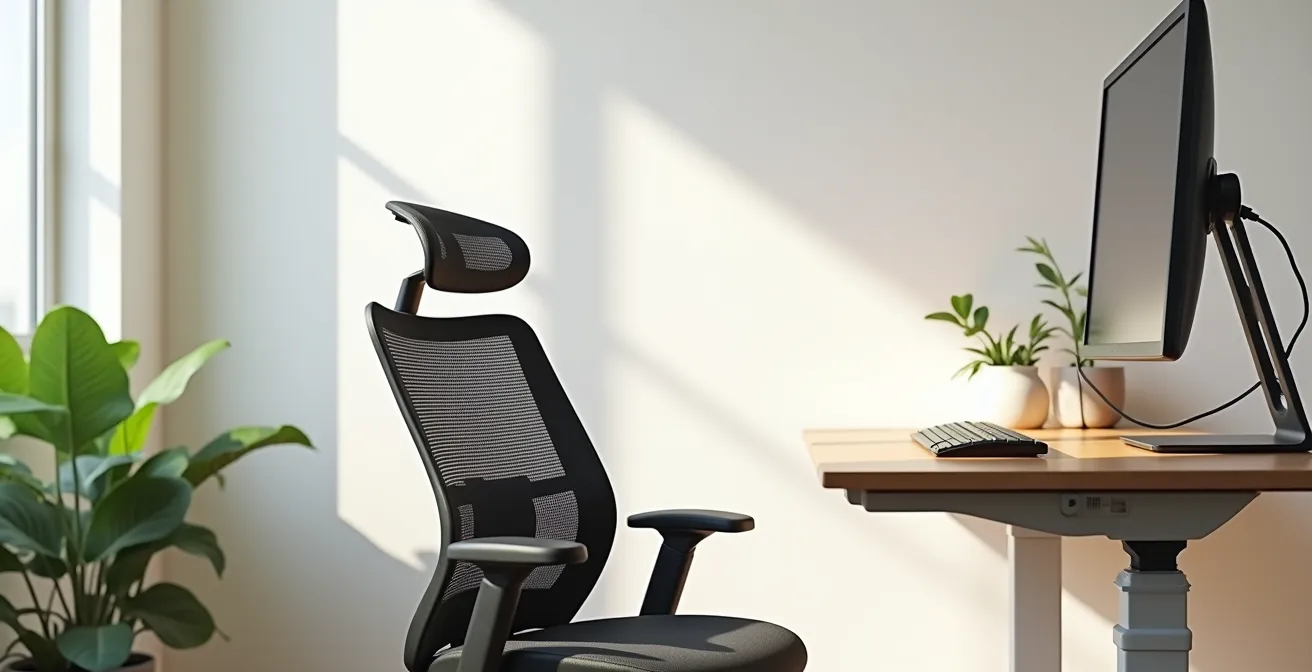
In summary:
- Your home office setup directly impacts both physical pain and mental focus through physiological and cognitive ergonomics.
- Achieving correct posture involves more than a good chair; it requires aligning your entire workstation—seat, screen, and desk—to support your body’s natural state.
- A strategic desk layout and professional lighting are not just for aesthetics; they are critical tools for minimizing distractions and reducing cognitive load.
You’ve embraced remote work, but your body is paying the price. The dull ache in your lower back is now a constant companion, and your focus shatters at the slightest interruption. You’ve likely heard the standard advice: “buy an ergonomic chair” or “take more breaks.” While these tips have merit, they often miss the fundamental point. A truly functional remote workspace isn’t just about comfortable furniture; it’s a carefully calibrated ecosystem designed for high performance.
The persistent pain and lack of focus aren’t signs of personal failure; they are symptoms of a workspace that is actively working against your body and mind. The problem lies in treating ergonomics as a checklist of items to buy, rather than understanding the underlying principles of physiological alignment and cognitive ergonomics. Your environment is constantly sending signals to your brain, and a poorly designed one creates a continuous stream of physical and mental static.
But what if the key wasn’t just to endure your workspace, but to transform it into a genuine sanctuary for deep work? This guide moves beyond the platitudes to explore the science of creating a home office that actively eliminates biomechanical stress and minimizes spatial triggers for distraction. We will deconstruct each element of your setup, from your chair to your lighting, to build a space that supports not just your tasks, but your long-term health and productivity.
This article will guide you through the essential adjustments to transform your workspace. From understanding the biomechanics of proper posture to mastering the art of professional video call lighting, you’ll gain a comprehensive framework for building a truly ergonomic and productive home office.
Summary: Your Roadmap to a Pain-Free and Focused Remote Workday
- Why Your “Comfy” Sofa Is Destroying Your Lower Back?
- How to Position Your Screen to Prevent Neck Strain?
- Gaming Chair vs Office Chair: Which Is Better for 8-Hour Shifts?
- The Desk Setup Mistake That Kills Your Focus Subconsciously
- How to Position Lights to Look Professional on Zoom?
- How to Ask for Reasonable Adjustments Without Sounding Demanding?
- How to Cut Meeting Times by 50% to Create Deep Work Blocks?
- How to Shift Your Team to Higher-Value Strategic Projects Using Automation?
Why Your “Comfy” Sofa Is Destroying Your Lower Back?
That plush sofa might feel like a welcoming place to start your workday, but it’s one of the most significant contributors to remote work-related pain. Sofas are designed for relaxation and reclining, not for the upright, engaged posture required for task-based work. When you sit on a soft, unsupportive surface, your spine slumps into a “C” shape, placing immense biomechanical stress on your lumbar vertebrae and surrounding muscles. This poor physiological alignment is a direct pathway to chronic lower back pain, stiffness, and long-term injury.
The lack of lumbar support forces your core muscles to overcompensate, leading to fatigue and strain. Over hours, this sustained pressure can compress spinal discs and pinch nerves. The scale of this issue is enormous; workplace injury data reveals there were 937,620 musculoskeletal disorder cases in 2023-2024, with many stemming from poor ergonomic habits exacerbated by makeshift home offices. Your temporary comfort on the couch comes at the high cost of your long-term spinal health.
To counteract this, the first step is to transition to a proper task chair. But even in a good chair, posture is paramount. You must actively train your body for correct physiological alignment. Push your hips as far back as they can go. Adjust the seat height so your feet are flat on the floor, with your knees at or slightly lower than your hips. The backrest should be at a 100-110° angle to properly support your lumbar curve. If your chair lacks adequate support, don’t hesitate to use small pillows or dedicated lumbar cushions to fill the gap and maintain the natural “S” curve of your spine.
How to Position Your Screen to Prevent Neck Strain?
If you end your workday with a stiff neck or tension headaches, your monitor position is the likely culprit. Hunching over a laptop or craning your neck to see a poorly placed screen forces the delicate cervical spine out of its neutral alignment. This creates a constant, low-grade strain on your neck and shoulder muscles, which can lead to chronic pain, reduced mobility, and a condition commonly known as “tech neck.” The human head is heavy, and for every inch your head tilts forward, the pressure on your spine doubles.
The solution is to create a setup that encourages a natural, relaxed gaze. According to ergonomics research from Cornell University, this is achieved by positioning your monitor at approximately an arm’s length away, with the top of the screen at or slightly below your eye level. This setup promotes a natural 15-20 degree downward gaze angle, which keeps your neck in a neutral and relaxed position, significantly reducing musculoskeletal discomfort and boosting productivity.
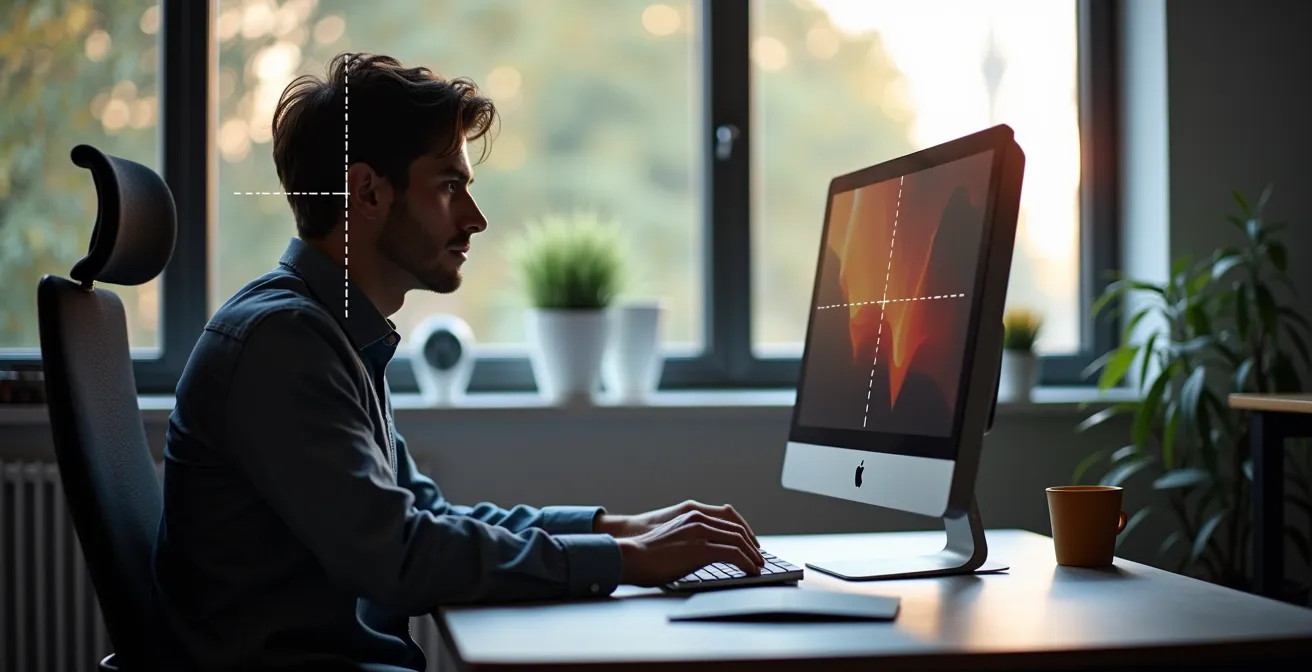
As you can see, this alignment prevents you from tilting your head up or down. For laptop users, this is almost impossible to achieve without external peripherals. A separate monitor is ideal, but a laptop stand combined with an external keyboard and mouse is an effective alternative. This small investment allows you to elevate your screen to the correct height while keeping your hands and wrists in a comfortable, neutral typing position. This separation of screen and keyboard is a non-negotiable principle of physiological alignment at your workstation.
Gaming Chair vs Office Chair: Which Is Better for 8-Hour Shifts?
The debate between gaming chairs and ergonomic office chairs is a common one, but for an 8-hour workday, the science of ergonomics provides a clear winner. Gaming chairs are designed with a primary focus on aesthetics and reclined media consumption. Their bucket seats and fixed side bolsters, inspired by racing cars, are meant to create an immersive experience but often restrict movement and fail to provide targeted support for an upright tasking posture.
In contrast, high-quality ergonomic office chairs are engineered from the ground up for sustained, upright work. Their design focuses on adjustability and dynamic support. Features like 4D armrests, adjustable seat depth, and responsive lumbar support are not gimmicks; they are essential tools that allow you to tailor the chair to your unique body shape and tasks. Furthermore, the materials differ significantly. Gaming chairs often use PU leather, which traps heat and moisture, leading to discomfort over long periods. Ergonomic chairs frequently use engineered mesh that promotes airflow and distributes pressure evenly.
This paragraph introduces the table, which compares the two chair types. The financial implications of a poor choice are significant, as workplace injury data shows the cost can range from $15,000 to $85,000 per MSD case, making an ergonomic chair a wise investment.
| Feature | Gaming Chair | Office Chair |
|---|---|---|
| Primary Design Focus | Reclined media consumption | Upright tasking posture |
| Typical Material | PU leather (traps heat) | Engineered mesh (breathable) |
| Adjustability | Fixed bolsters, limited range | 4D armrests, seat depth adjustment |
| 8-Hour Comfort | Moderate | Excellent |
| Price-to-Ergonomics Ratio | Low-Moderate | High |
While a gaming chair might suffice for short periods, it lacks the sophisticated adjustability required to prevent biomechanical stress during a full workday. An ergonomic office chair is not a luxury; it’s a critical piece of professional equipment designed to protect your health and sustain your performance.
The Desk Setup Mistake That Kills Your Focus Subconsciously
You’ve secured the perfect chair and positioned your monitor, but a persistent sense of distraction lingers. The culprit is often hiding in plain sight: your desk itself. A cluttered or disorganized desk is not just an aesthetic issue; it’s a major source of cognitive friction. This is the realm of cognitive ergonomics—the science of designing systems and environments to be compatible with human mental processes. Every out-of-place item on your desk is a piece of unresolved visual information that your brain must process, categorize, and dismiss. This constant, low-level mental activity drains your finite reserves of focus and willpower.
The most common mistake is having no system, treating the entire desk as a landing pad for anything and everything. This creates powerful spatial triggers for distraction. To reclaim your focus, you must transform your desk from a cluttered surface into an intentional dashboard for your work. A highly effective method is the “Zone Defense” system, which segments your desk into distinct functional areas.

This system involves designating an “Intake Zone” (e.g., the left corner) for all new items, keeping your central “Focus Zone” clear for only the single task at hand, and setting up a “Tools & Reference Zone” (e.g., the right side) for frequently used items. A desk pad can be a great visual aid to physically define these zones. The most crucial part of this system is the daily reset: clearing your Focus Zone completely at the end of each work session. This simple habit ensures you start each day with a clean slate, creating a powerful psychological signal that it’s time for deep, uninterrupted work.
How to Position Lights to Look Professional on Zoom?
In a remote-first world, your appearance on video calls is a key part of your professional presence. Poor lighting can make you look tired, washed out, or cast you in distracting shadows, undermining your credibility before you even speak. The built-in webcam and overhead room lighting are rarely sufficient. To look your best, you need to control the light that falls on your face, and the gold standard for this is the three-point lighting setup used by professional videographers.
This method involves three distinct light sources. The Key Light is your main light, positioned at about a 45-degree angle to one side of your face, creating depth and dimension. The Fill Light is a softer light placed on the opposite side to fill in the shadows created by the key light; a white wall or a reflector can often serve this purpose. Finally, the Backlight is a small lamp placed behind you, out of frame, to separate you from your background and create a professional-looking halo effect. Mastering this setup will dramatically improve your on-screen presence.
Beyond positioning, the quality of light is crucial. You want soft, diffused light to avoid harsh shadows. A ring light or a small LED panel with a diffuser is an excellent investment. The color of the light also matters. For a natural, professional look on camera, lighting experts recommend a color temperature between 5000-5600K, which closely mimics natural daylight. This ensures your skin tones look accurate and you appear alert and engaged. Investing in your lighting is investing in your professional image.
How to Ask for Reasonable Adjustments Without Sounding Demanding?
You’ve identified the need for ergonomic equipment, but the prospect of asking your employer for it can be intimidating. The key is to frame the request not as a personal comfort issue, but as a strategic investment in productivity and well-being. Approaching the conversation with a well-researched, solution-oriented mindset will shift the dynamic from demanding to collaborative. Instead of simply stating “I need a new chair,” you should present a clear business case.
Document the specific issues you’re facing, such as back pain or eye strain, and connect them to potential impacts on your work, like reduced focus or the risk of needing time off. Research specific solutions and present them in a structured way. This demonstrates that you’ve put thought into the problem and are looking for a reasonable and cost-effective solution. Avoid ultimatums and focus on the mutual benefits: improved performance, sustained productivity, and a reduction in health-related risks for both you and the company.
A powerful technique is to present a “tiered solution menu.” This gives your manager options and control, making them a partner in the decision. By framing your request as an investment with a clear return—your continued health and high-quality work—you transform the conversation from a demand into a strategic proposal that is much more likely to be approved.
Your Action Plan: The Tiered Solution Menu Approach
- Good Option: Start with a low-cost, high-impact item. Example: “Request a $50 lumbar support pillow for immediate back relief.”
- Better Option: Propose a mid-range investment with clear benefits. Example: “Propose a $400 ergonomic chair, citing studies on productivity.”
- Best Option: Present a top-tier solution with a return on investment (ROI) calculation. Example: “Present a sit-stand desk investment with ROI based on preventing lost workdays.”
- Include Data: Back up your proposal with credible statistics. Example: “Reference OSHA statistics on the cost savings from MSD prevention.”
- Frame as an Investment: Emphasize the business benefits. Focus on improved retention and productivity, not just personal comfort.
How to Cut Meeting Times by 50% to Create Deep Work Blocks?
A perfect ergonomic setup is only half the battle. If your day is fragmented by constant meetings and notifications, you’ll never achieve the state of deep, focused work required for high-value output. Creating a deep work sanctuary requires not just physical comfort but also a deliberate defense of your time and attention. The goal is to create long, uninterrupted blocks of time where you can engage fully with complex tasks.
This starts with a ruthless audit of your calendar. Challenge the necessity of every meeting. Could this be an email? A shared document? If a meeting is unavoidable, insist on a clear agenda and a strict time limit. Default meeting times should be 25 or 50 minutes, not 30 or 60, to build in transition buffers. This proactive time management, combined with an optimized physical space, is where true productivity gains are found. In fact, studies show that remote workers with ergonomic setups report a 13% increase in productivity on average, partly due to the enhanced ability to focus in a suitable environment.
Your environment can also be a powerful ally in protecting your focus. To maintain concentration during deep work blocks, natural light is ideal, but an adjustable task lamp with dimmable settings can help you tailor the lighting to your needs throughout the day, reducing eye strain and fatigue. Furthermore, using noise-canceling headphones is highly recommended. They create not only a physical barrier to sound but also a powerful psychological one, signaling to yourself and others that you are unavailable and fully immersed in your work. This combination of temporal and environmental defense is the key to unlocking sustained, high-quality output.
Key takeaways
- Ergonomics is a holistic system connecting your physical setup (physiological) with your mental state (cognitive).
- Targeted adjustments to your chair, screen, and desk layout are non-negotiable for preventing chronic pain and biomechanical stress.
- An optimized workspace is a strategic investment that directly enhances productivity, focus, and long-term professional well-being.
How to Shift Your Team to Higher-Value Strategic Projects Using Automation?
Expanding the principles of ergonomics from an individual to a team level reveals a powerful truth: a well-designed work environment is a strategic asset. When an individual is free from physical pain and mental distraction, their cognitive resources are liberated. Instead of being consumed by discomfort and task-switching, their energy can be directed toward problem-solving, creativity, and high-value strategic thinking. This same principle applies to a team’s workflow. Repetitive, low-value tasks are the “bad posture” of an organization—they drain energy and create operational friction.
Just as an ergonomic chair supports the body, automation supports the mind. By identifying and automating repetitive administrative tasks, you create “cognitive space” for your team. This allows them to shift their focus from rote execution to strategic initiatives that drive real business growth. This shift from reactive work to proactive strategy is the ultimate goal of a high-performance team. A healthy, focused, and strategically aligned team is the greatest competitive advantage a company can have.
The transition to remote work has highlighted these challenges and opportunities on a massive scale. As a report from the European Agency for Safety and Health at Work (EU-OSHA) notes, this shift has put workers at greater risk but also pushed businesses to evolve. As they state in their research on work-related MSDs:
Teleworking has helped businesses evolve and survive the COVID-19 pandemic, but it has put workers at greater risk of musculoskeletal disorders and mental health problems
– EU-OSHA, Research on work-related MSDs
This underscores the critical importance of investing in proper ergonomic and workflow design. It’s not just about individual comfort; it’s about building a resilient, healthy, and strategically agile organization.
Your journey to a healthier and more productive work life starts with a single, intentional change. Begin today by evaluating just one aspect of your home office using the principles in this guide, and build from there to create the workspace you deserve.
Frequently Questions on Home Office Ergonomics
What lighting helps maintain concentration?
Natural light is ideal, but adjustable task lamps with dimmable settings can help maintain focus as lighting needs change throughout the day.
Should I use noise-canceling headphones during deep work blocks?
Yes, they create a physical and psychological barrier that signals unavailability and helps maintain concentration.